Iphone app will not work in dark mode. You can change this by going to Settings -> Display & Brightness -> Appearance - Options for Light and Dark. If you are in Dark mode you will see only a black screen on start up.
If your phone updated and an app starts opening and immediately closing, the fix is usually to delete the app, restart the phone, and then reinstall it. The update can reset or break the app’s permissions, and reinstalling forces the phone to ask for those permissions again so the app can run normally.
2. All motors with a key must say Bluetooth on them or have a Bluetooth Logo. If they do not they're not Bluetooth motors.
3. For all motors with a keypad and not a key the Blue LED Light must be solid the entire time you are pairing. If the Blue LED lights starts blinking you must start over.
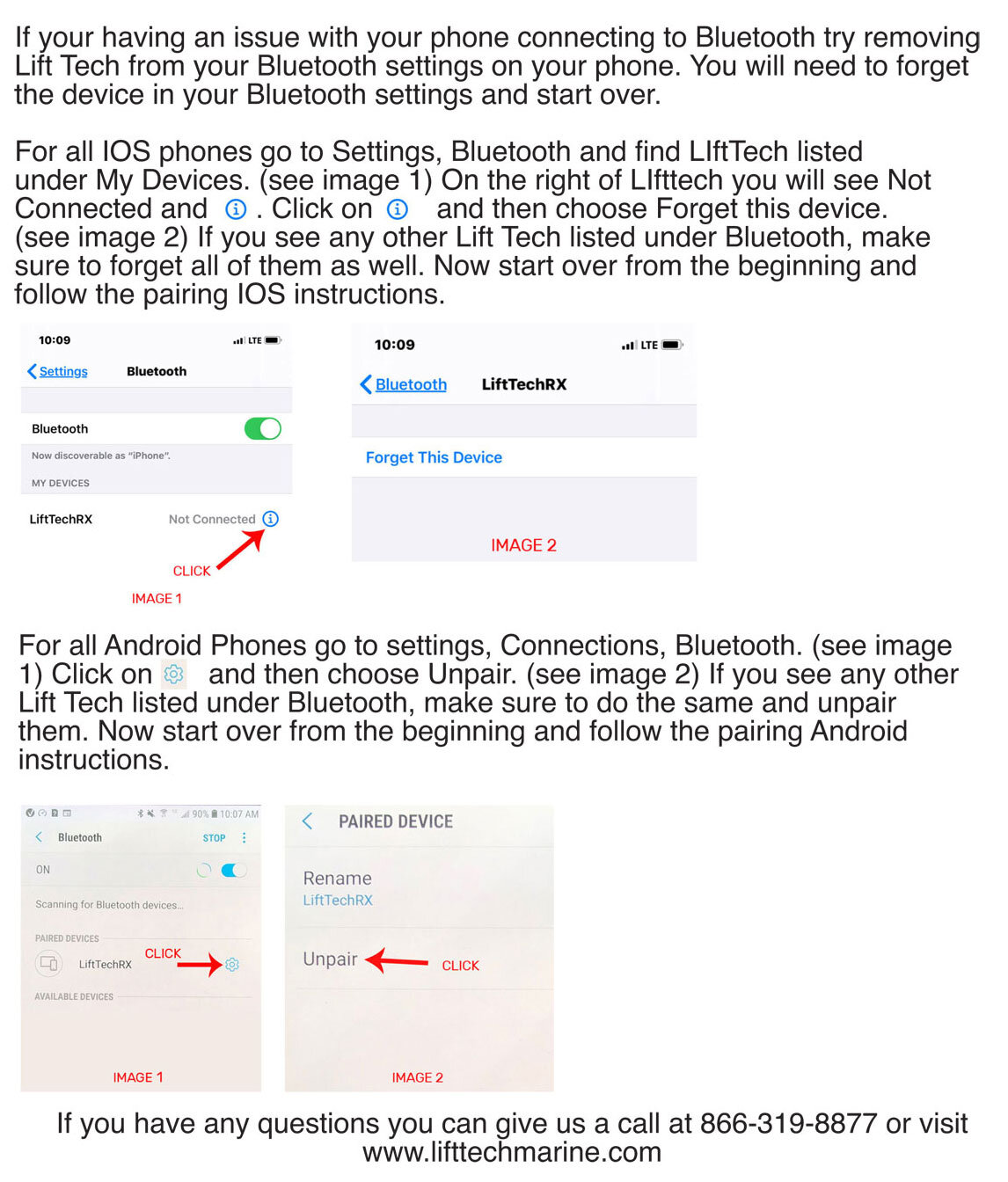
4. For the Bluetooth to work you must allow your phone to use Bluetooth and Location Settings. If you do not allow this your phone will not pair with your motor. For all Android phones go to Settings, then Apps, Then Lift Tech. For all Iphone's go to Settings then Lift Tech.